All projects

Local AI for
hospital meetings

Team
1 designer (me)
4 developers
Built with
Claude Code
Figma MCP
Scope
UX research · UI
Time limit
2 days hackathon
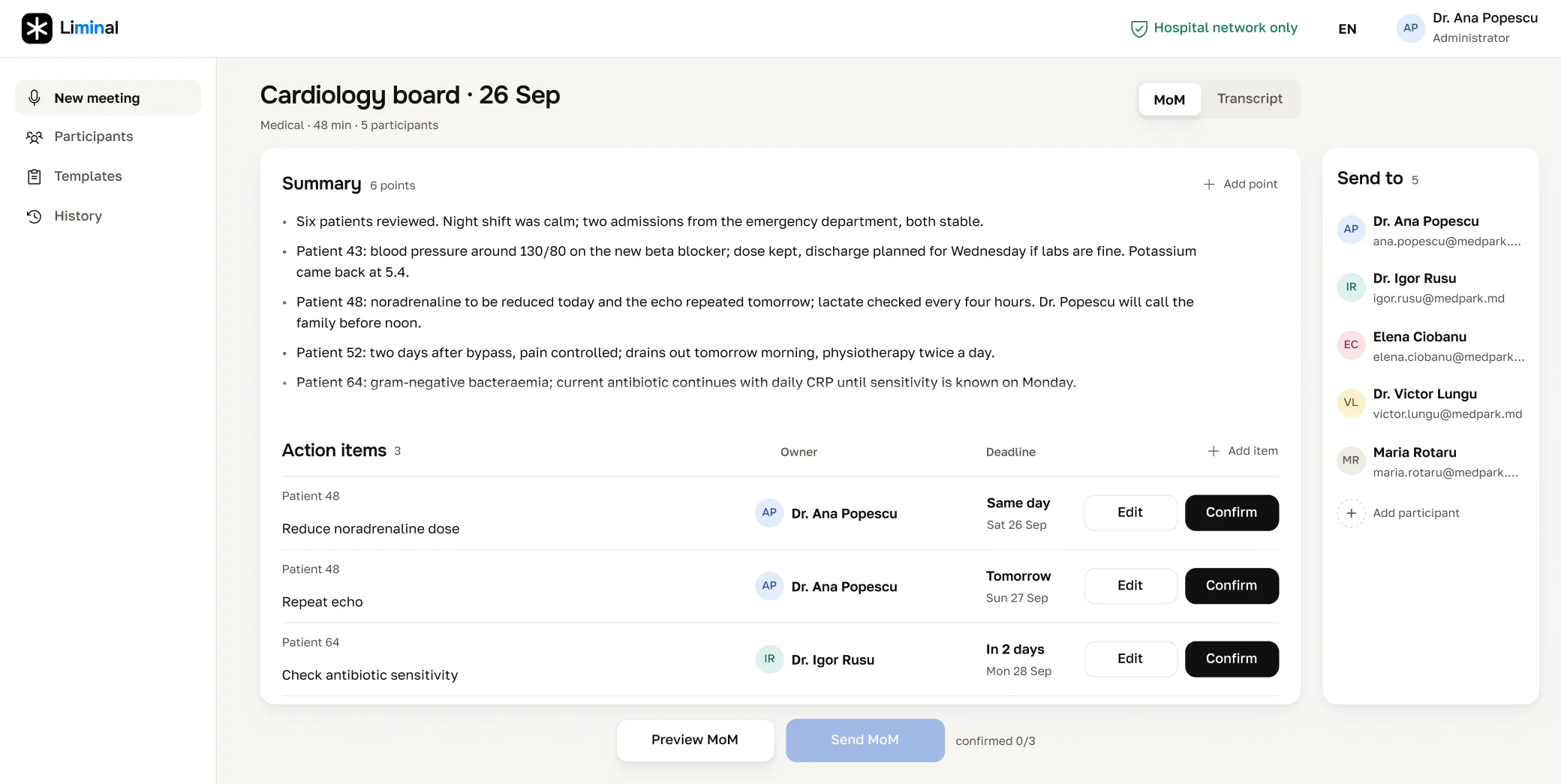
A MacBook showing the Review screen with some action items approved, and an iPad open on New meeting, where the recording starts.

Challenge. Hospital boards at Medpark end with someone replaying the audio to write the Minutes of Meeting: decisions, actions, owners, deadlines. No clinic can afford to hand that data to a cloud service, so it all had to stay inside the hospital network.
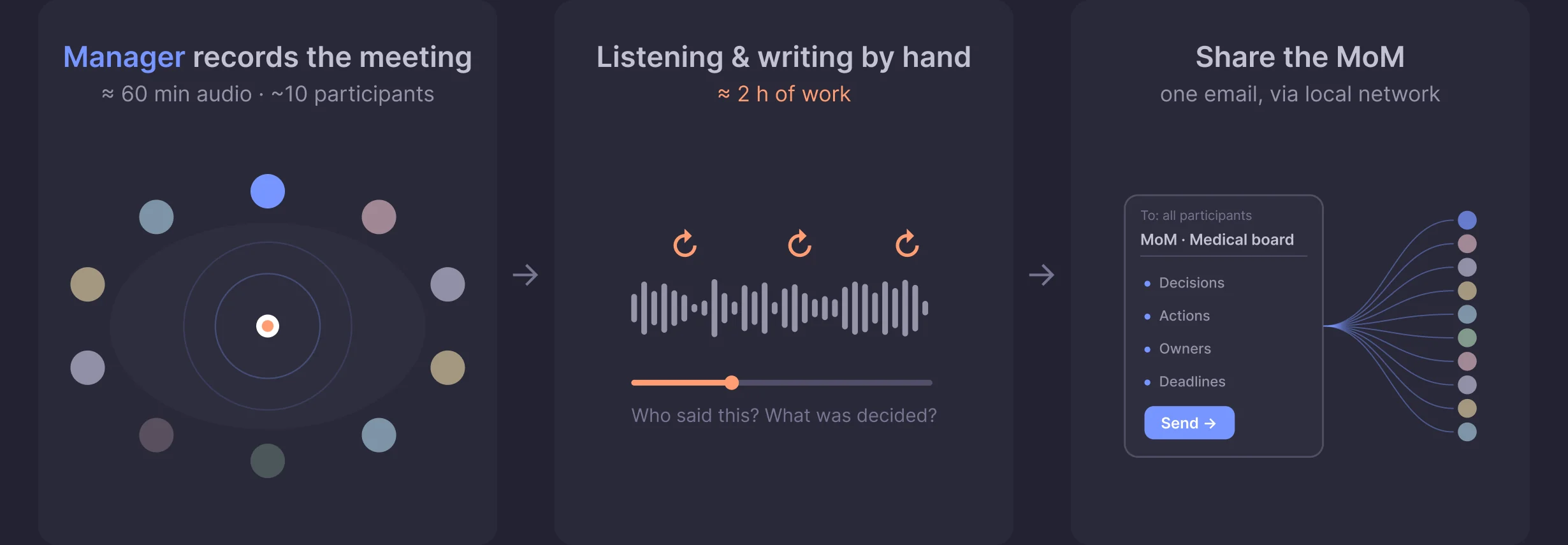
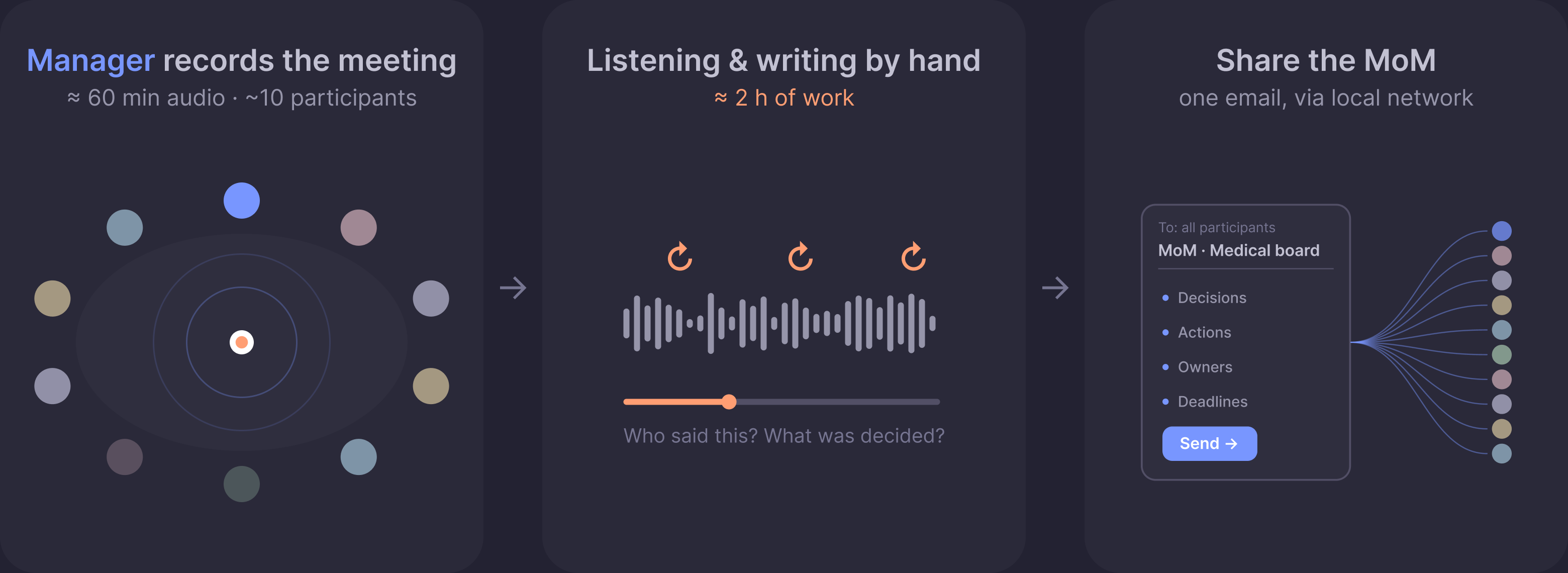
Today: the manager records a 60 minute meeting, someone replays the audio and writes the minutes by hand
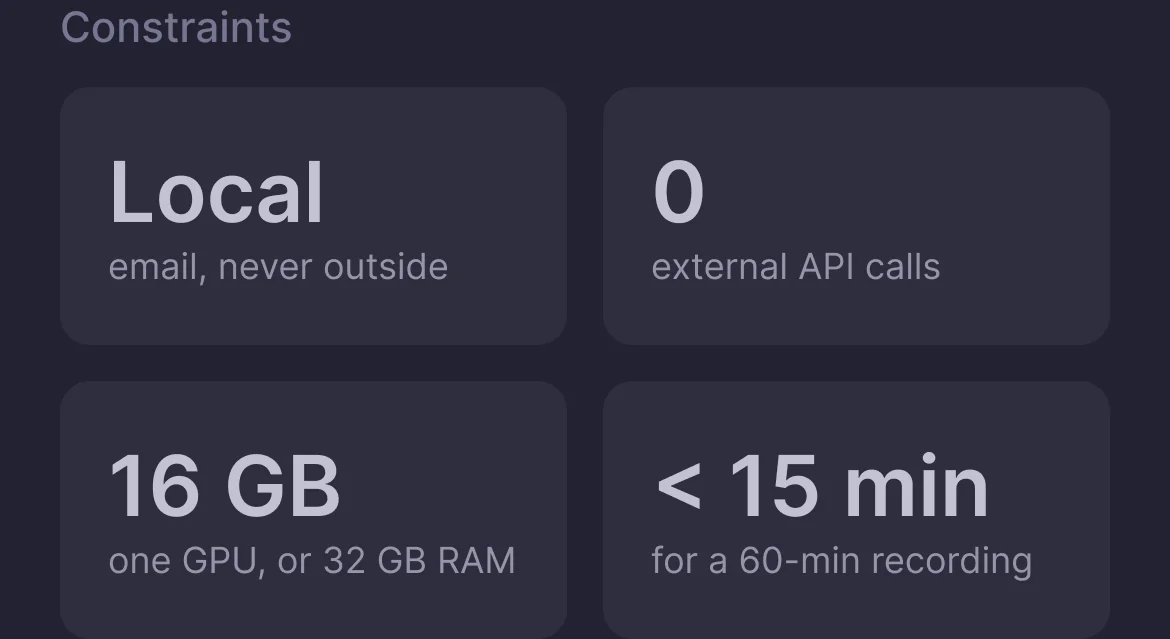
Constraints: local email, never outside; 0 external API calls; 16 GB, one GPU or 32 GB RAM; under 15 minutes for a 60 minute recording Today: the manager records the meeting, about 60 minutes of audio with around 10 participants, then listens and writes by hand for about 2 hours The manual Minutes of Meeting flow, continued

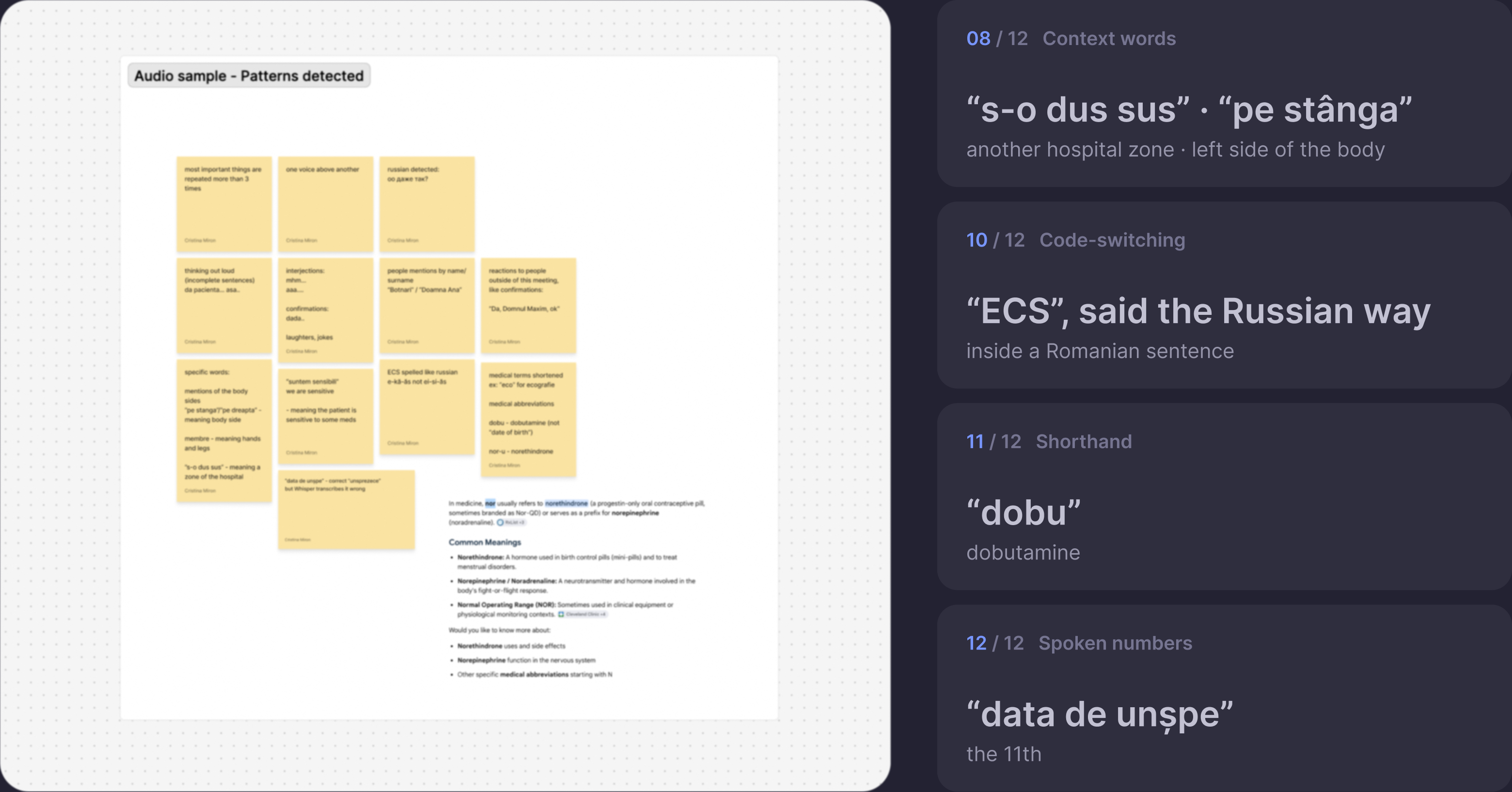
Research. No local AI yet understands Moldovan doctors mixing Romanian, Russian and English with mixed accents and medical terms, so I listened to a real Medpark meeting and mapped 12 patterns for our AI to learn.
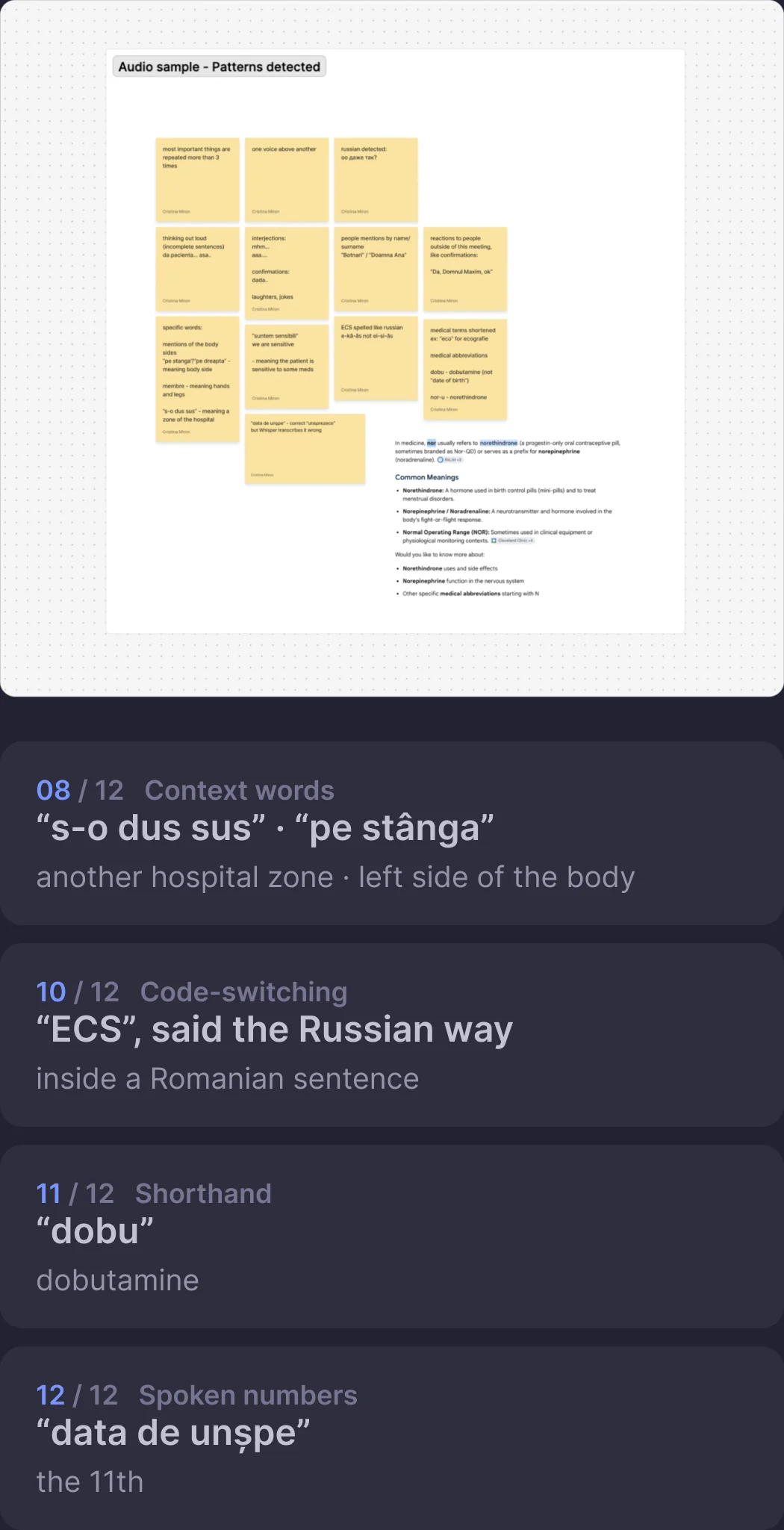
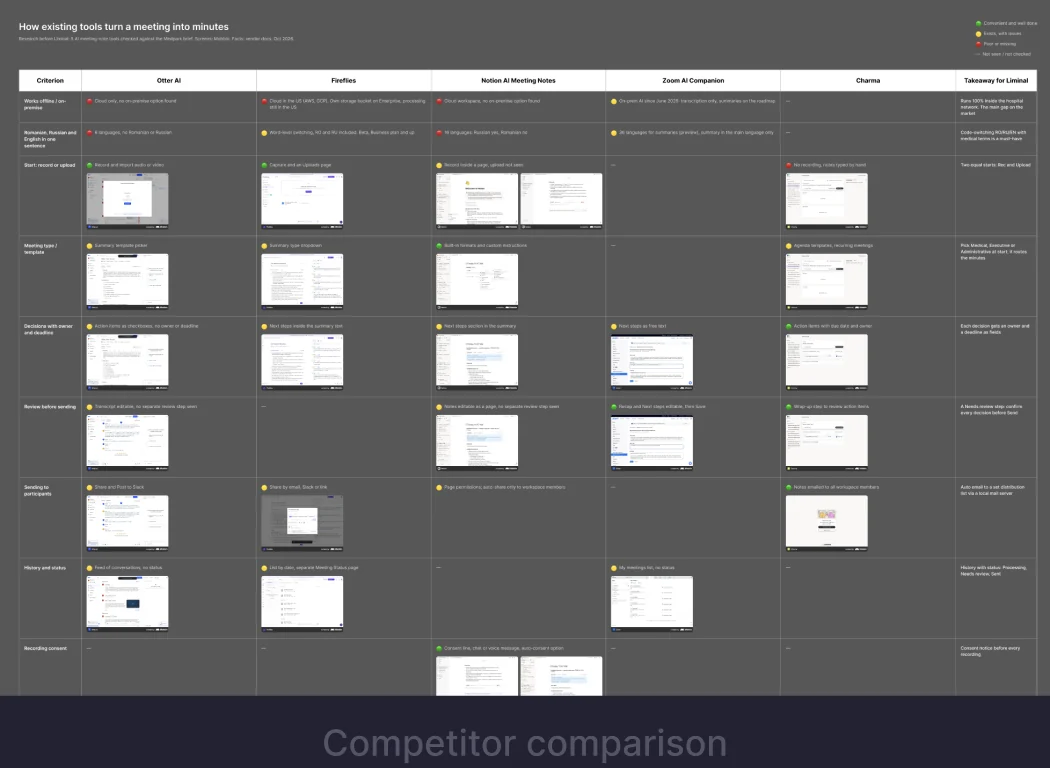
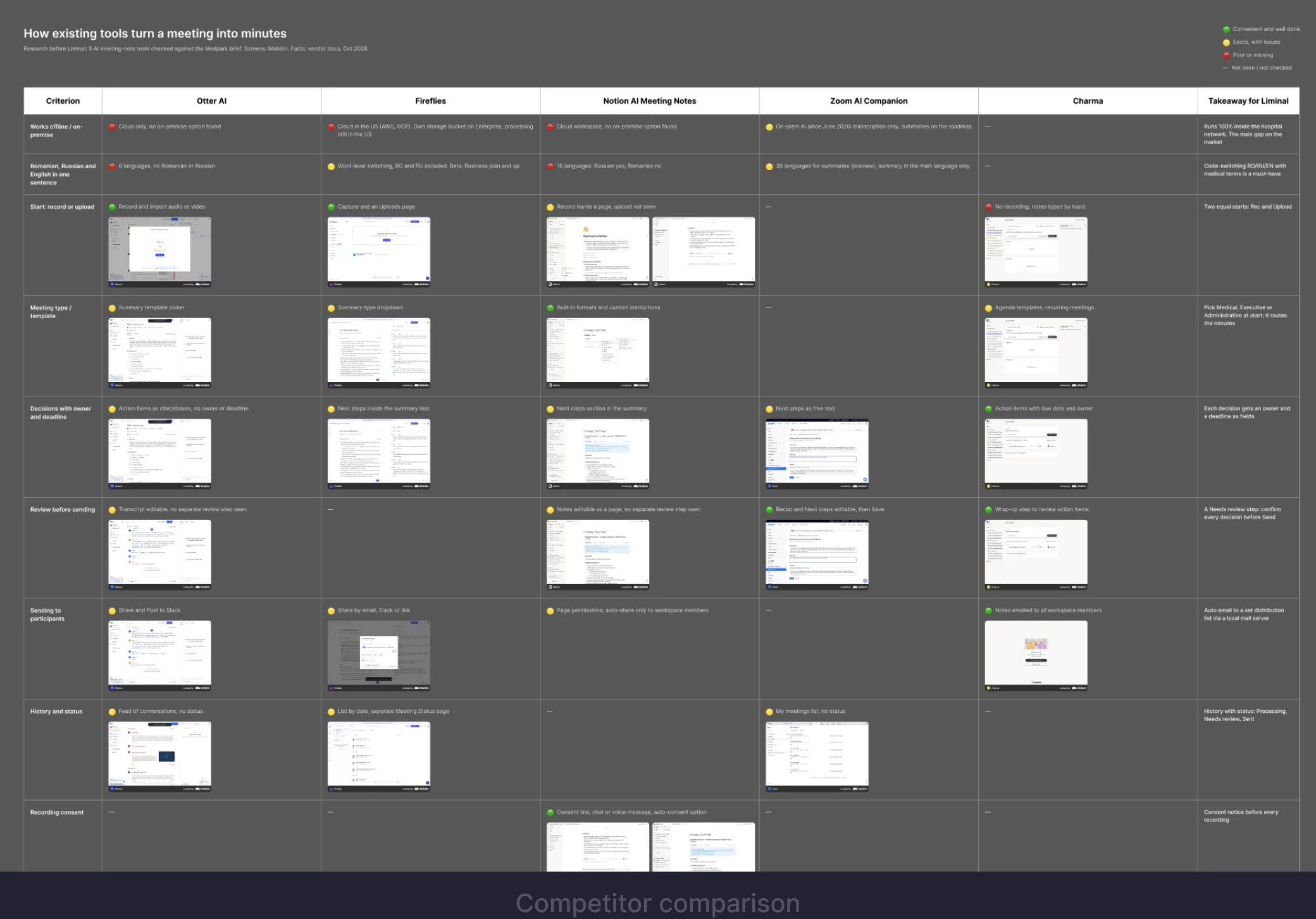
Speech patterns from one recording: Romanian phrases for hospital zones, ECS said the Russian way, shorthand and spoken numbers Competitor comparison Speech patterns from one recording: Romanian phrases for hospital zones, ECS said the Russian way, dobu for dobutamine Notes from a real Medpark meeting, mapped into speech patterns

Role map. One recording, three wins: the manager sends the MoM faster, doctors get their actions sooner, the hospital saves time and keeps data inside. Because of the time limit and no access to doctors, I mapped value on one sticky board instead of user interviews.
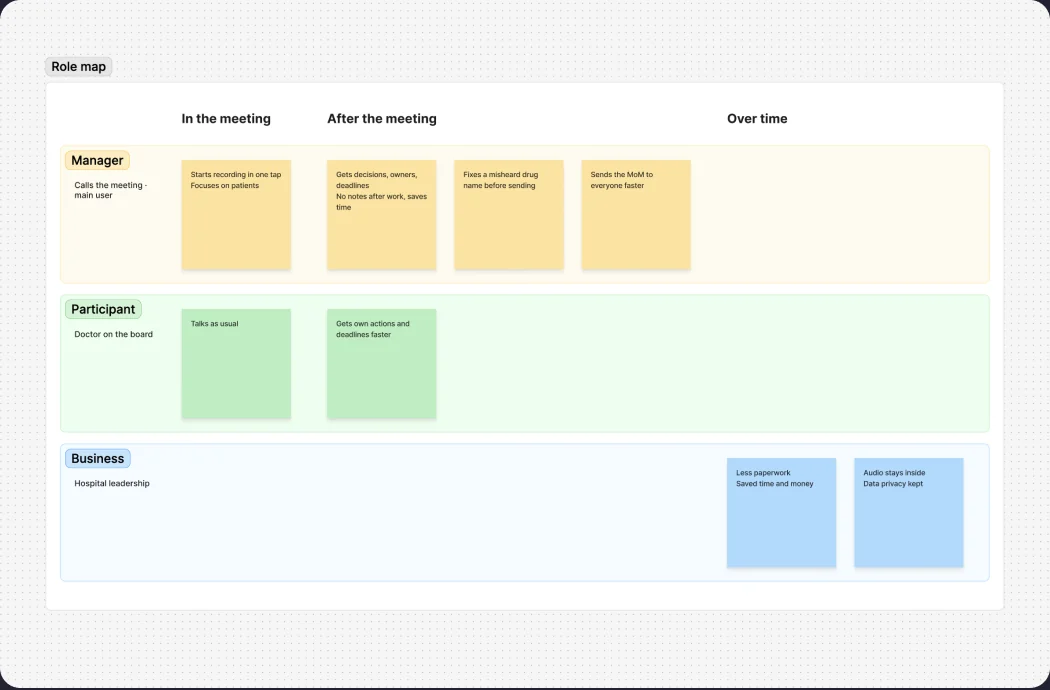
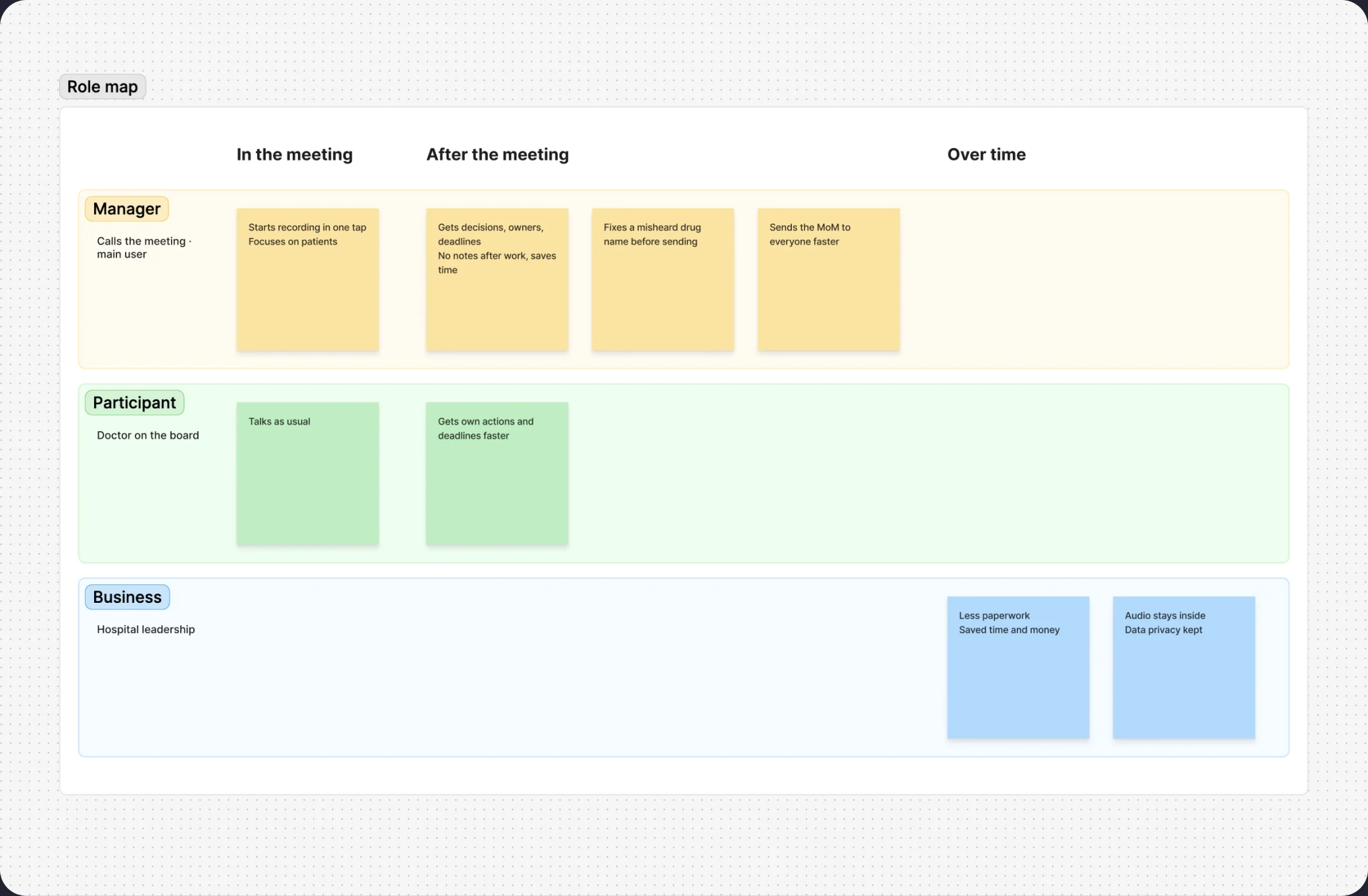
Sticky board mapping value for the manager, the doctors and the hospital Sticky board mapping value for the manager, the doctors and the hospital

Decisions. I turned the role map stickers into 8 UI rules, so the meeting manager no longer spends 2 hours writing the MoM by hand, but just checks the actions in a few minutes, confirms or edits, and sends.
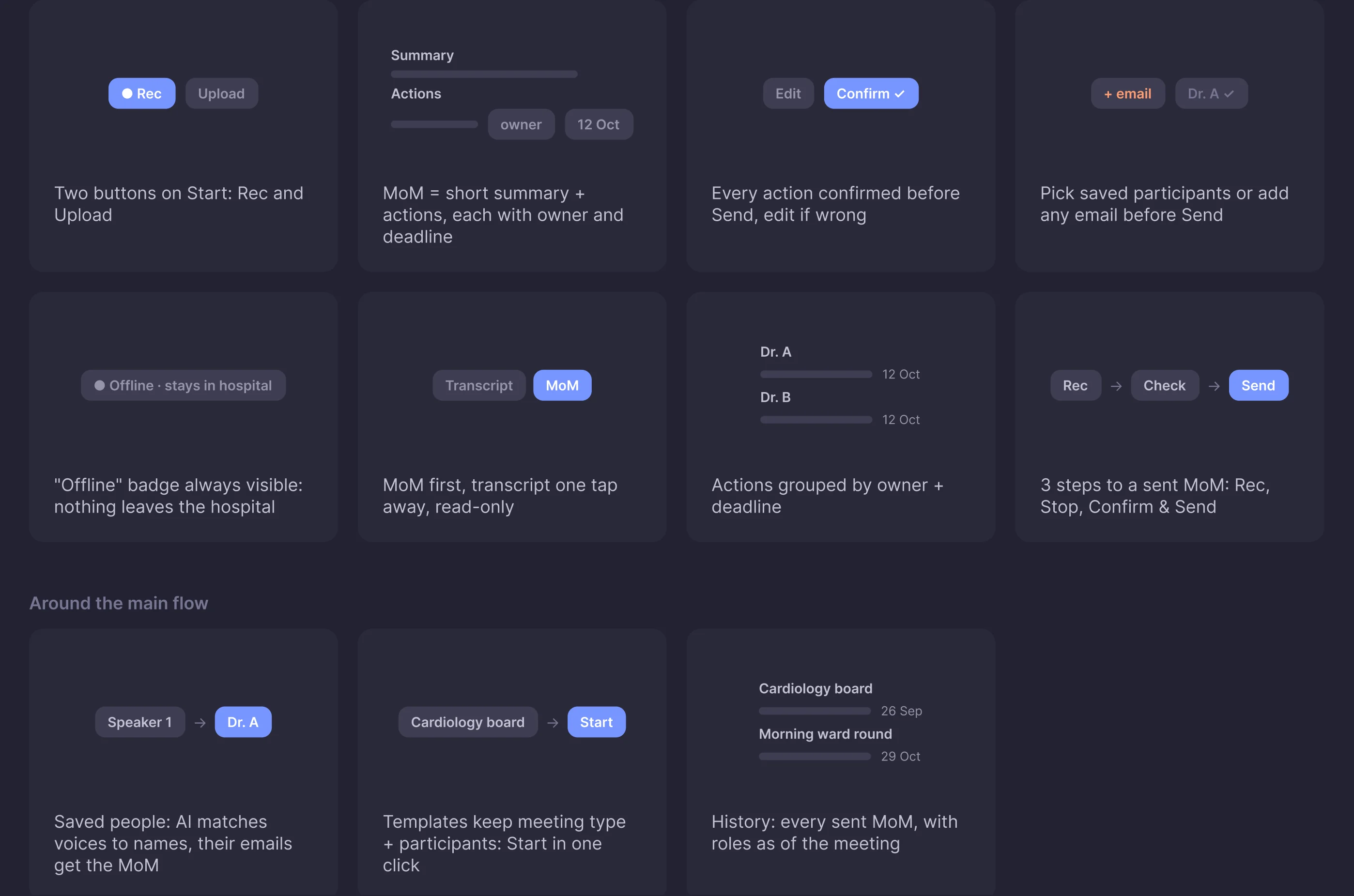
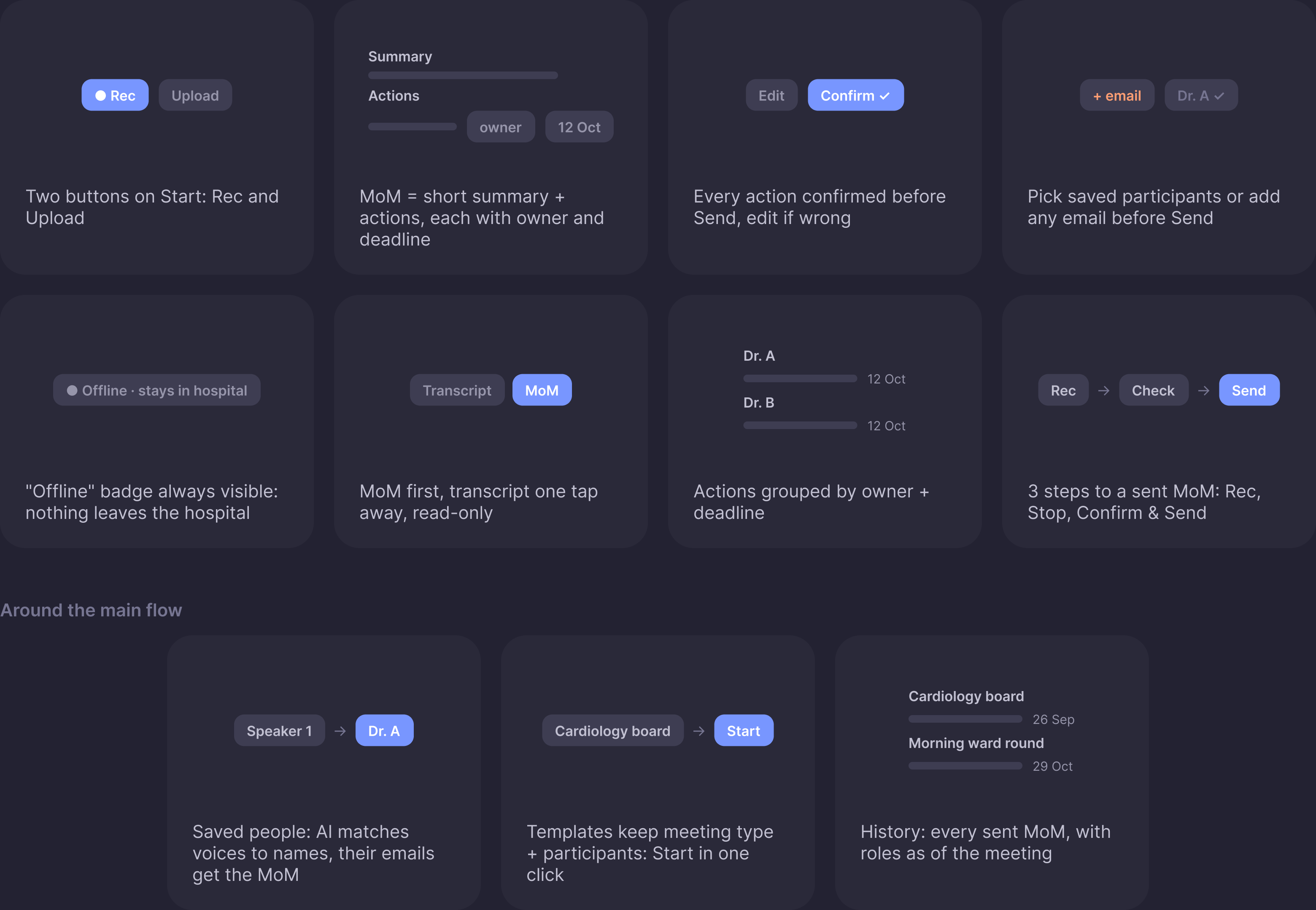
Eight UI rules, among them two buttons on Start, MoM as summary plus actions, every action confirmed, and an Offline badge always visible
Eight UI rules, among them two buttons on Start, MoM as summary plus actions, every action confirmed before Send, and an always visible Offline badge

Process. AI cut the time from idea to usability testing. Prototype 1, built straight in code, let developers train the AI engine meanwhile I collected feedback from Medpark and improved the design over several rounds of iterations, up to the handoff version.
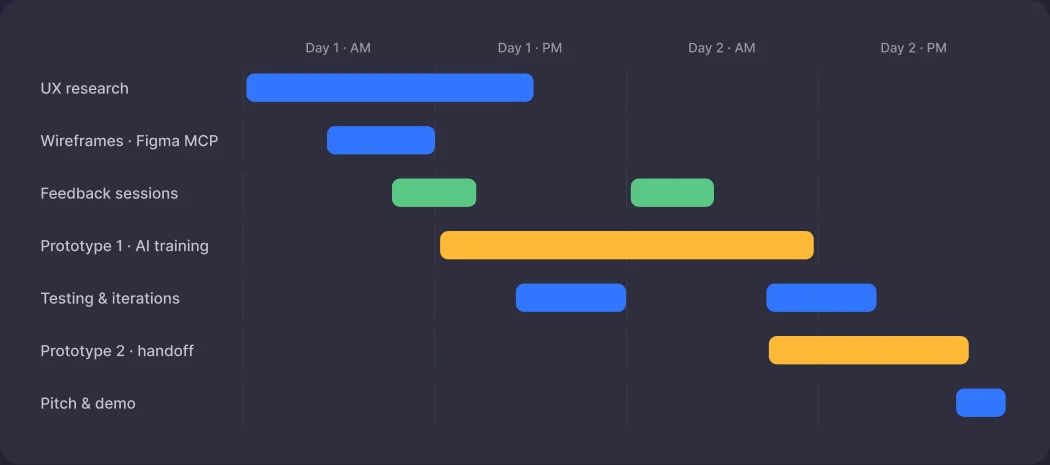
Two-day timeline from UX research and wireframes through Prototype 1, feedback sessions and testing to Prototype 2 and handoff Day 1 · AM Day 1 · PM Day 2 · AM Day 2 · PM UX research Wireframes · Figma MCP Feedback sessions Prototype 1 · AI training Testing & iterations Prototype 2 · handoff Pitch & demo

User flow. The only loops are safety checks: edit a wrong action, name an unknown voice. Nothing is sent until every action is confirmed and every participant has an email.
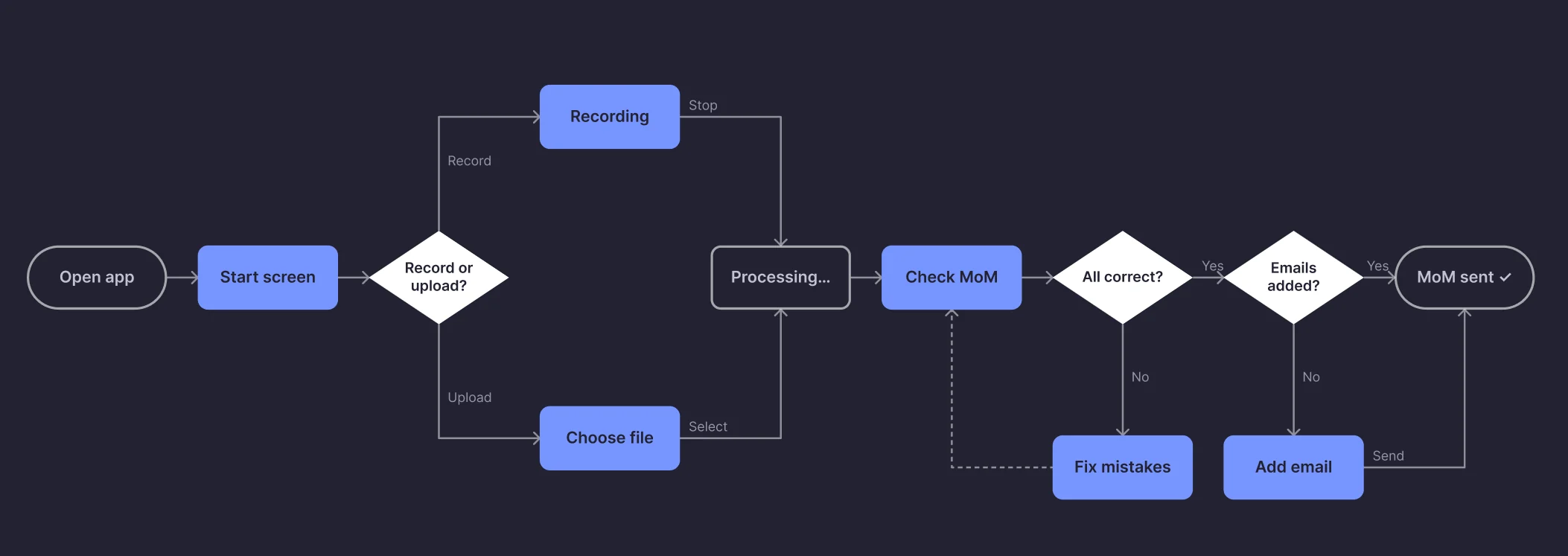
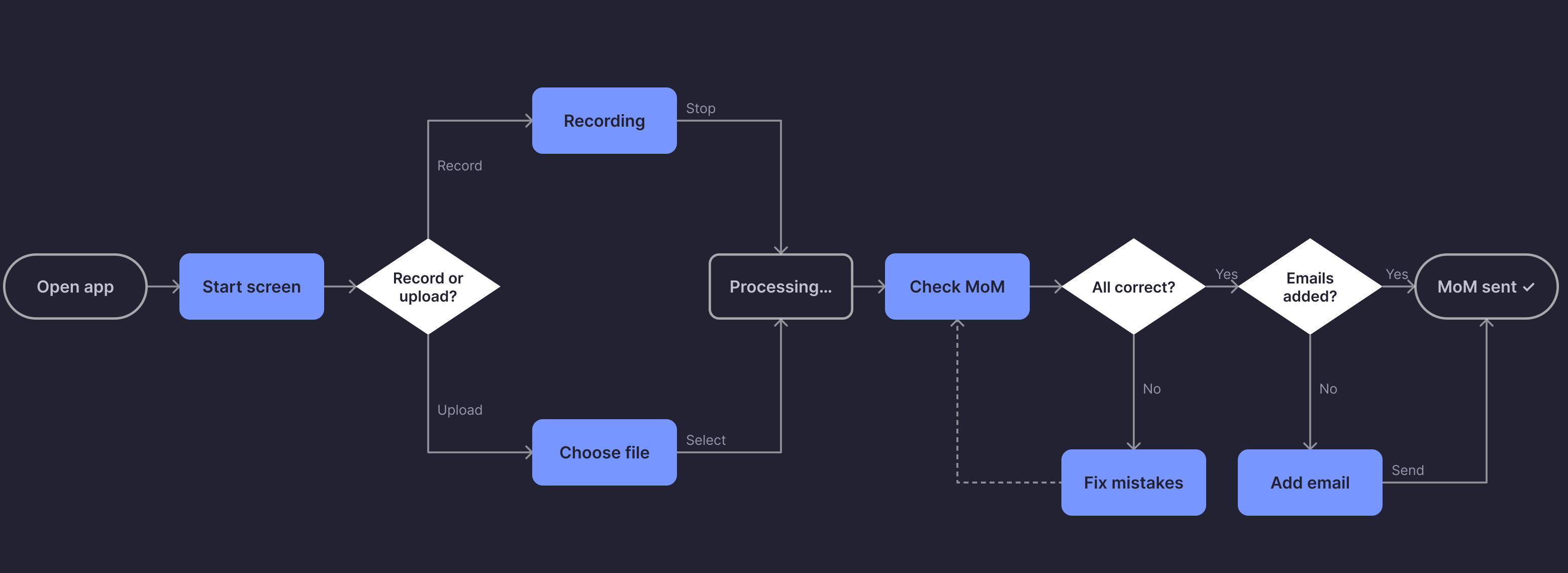
The manager user flow with its two safety loops

Design system. Generated with AI from a few simple rules: one action colour, 4 core text sizes, 4-pt grid.
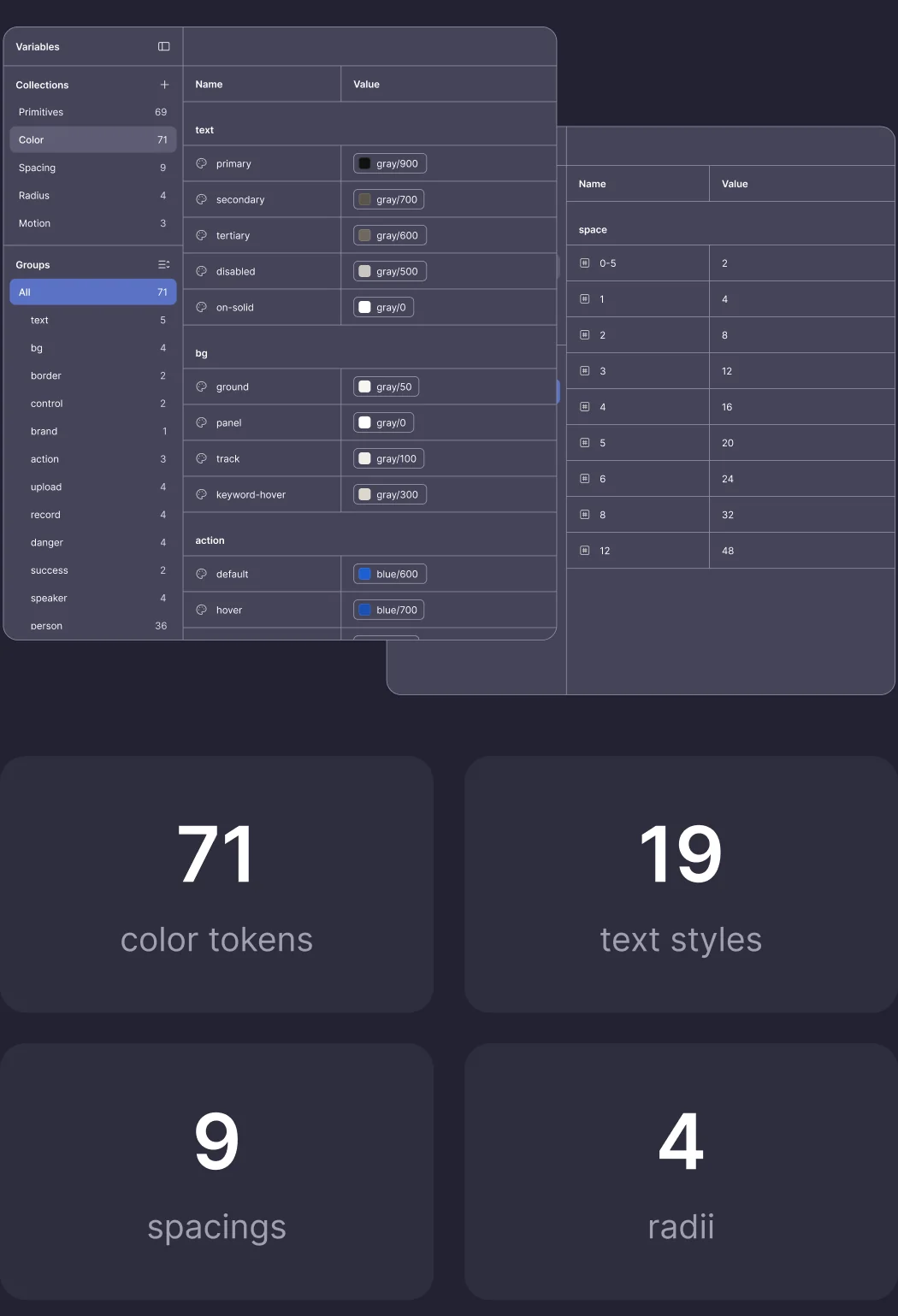
Design tokens: 71 color tokens, 19 text styles, 9 spacings and 4 radii Design tokens: 71 color tokens, 19 text styles and 9 spacings

Interface. One screen, one goal, one blue button. AI writes the MoM, the manager only checks and confirms.

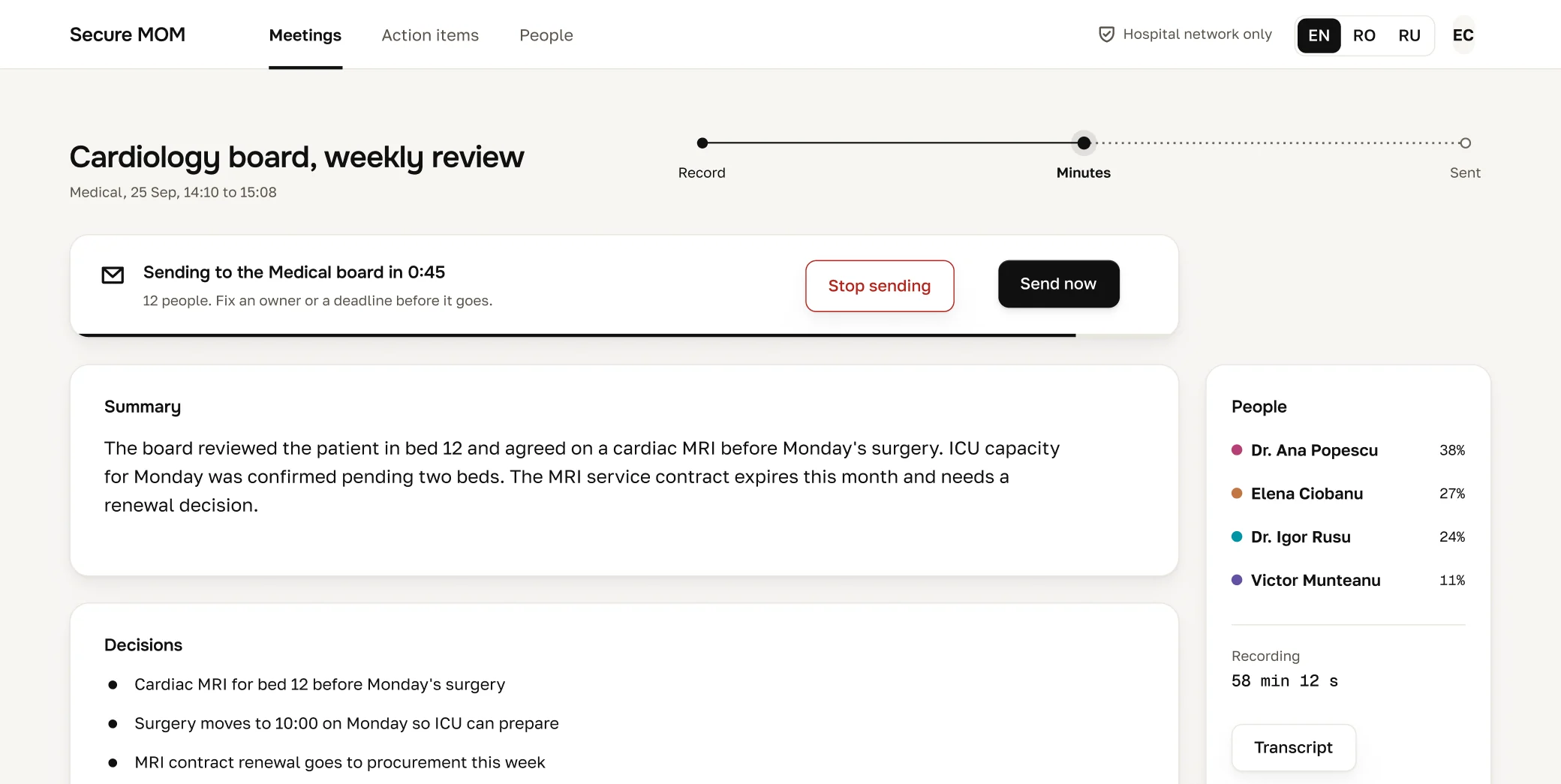
Screen recording · main flow · one take, ~30–40 s

Start → Recording → Processing → Check MoM → edit an action item → Preview MoM → Sent

AI draft vs Design. AI gave a working screen fast. I decided what to remove, what to keep, and made the review screen earn trust.
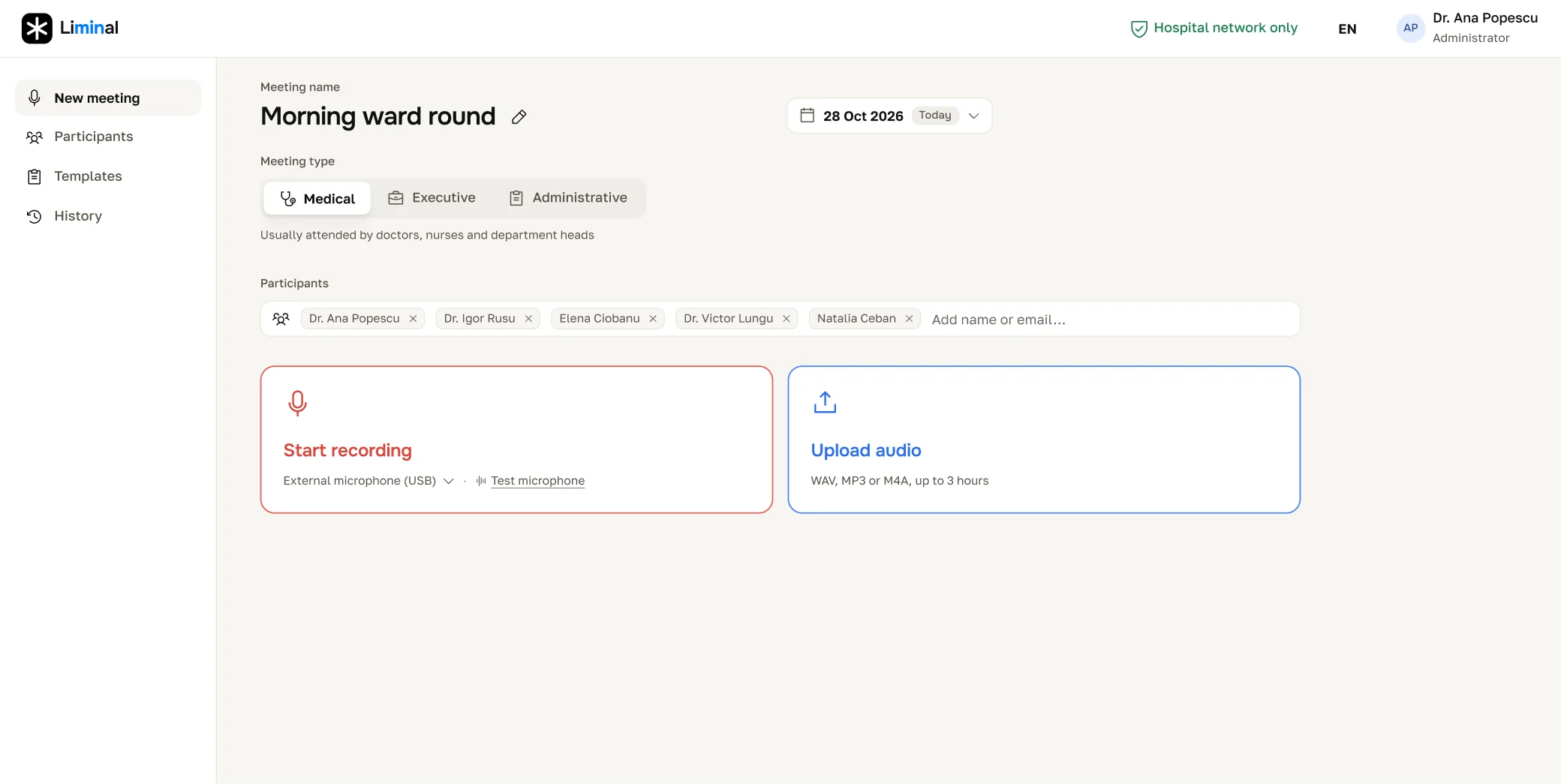
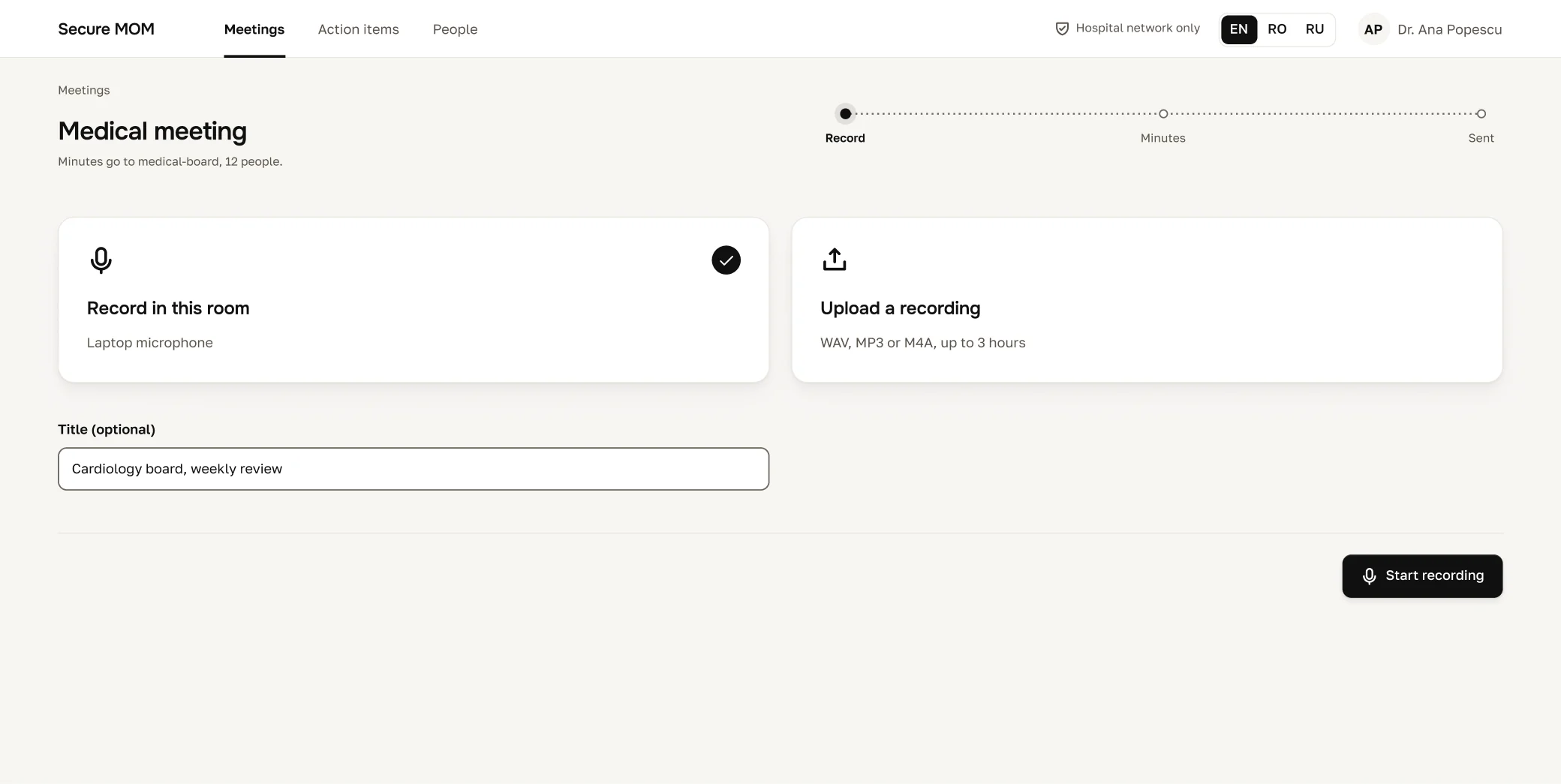
Prototype 2: the designed start screen Prototype 1: the AI draft of the start screen Prototype 1 Prototype 2
Prototype 2: the designed review screen Prototype 1: the AI draft of the review screen Prototype 1 Prototype 2

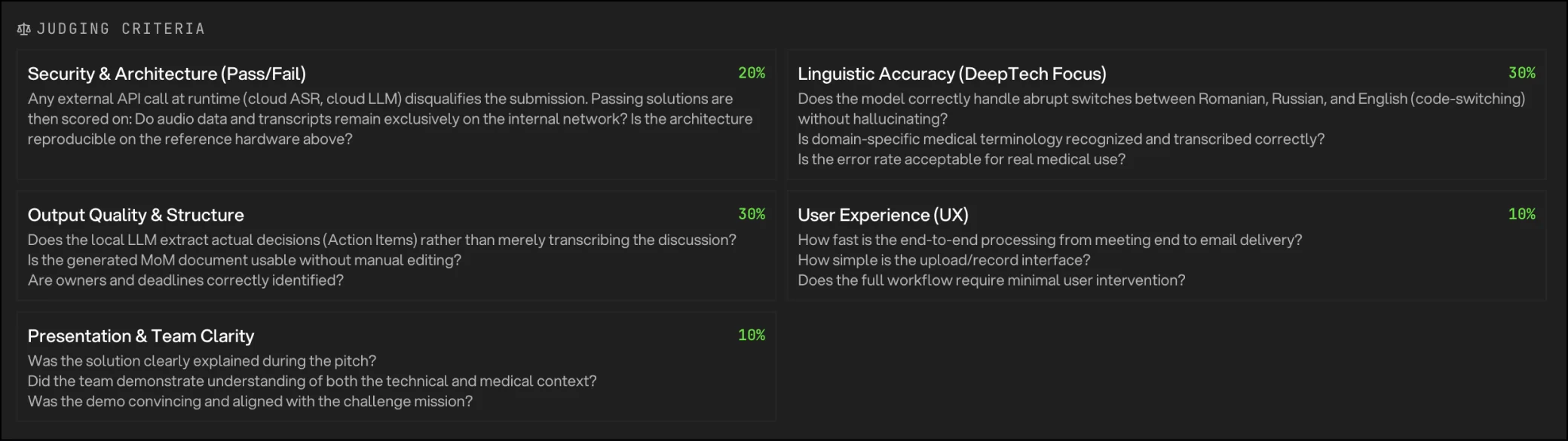
After the demo. Our team got the second place. At a deep tech hackathon, the score leaned on security, linguistic accuracy and output quality, where the winning team's pipeline led. UX counted for only 10%.
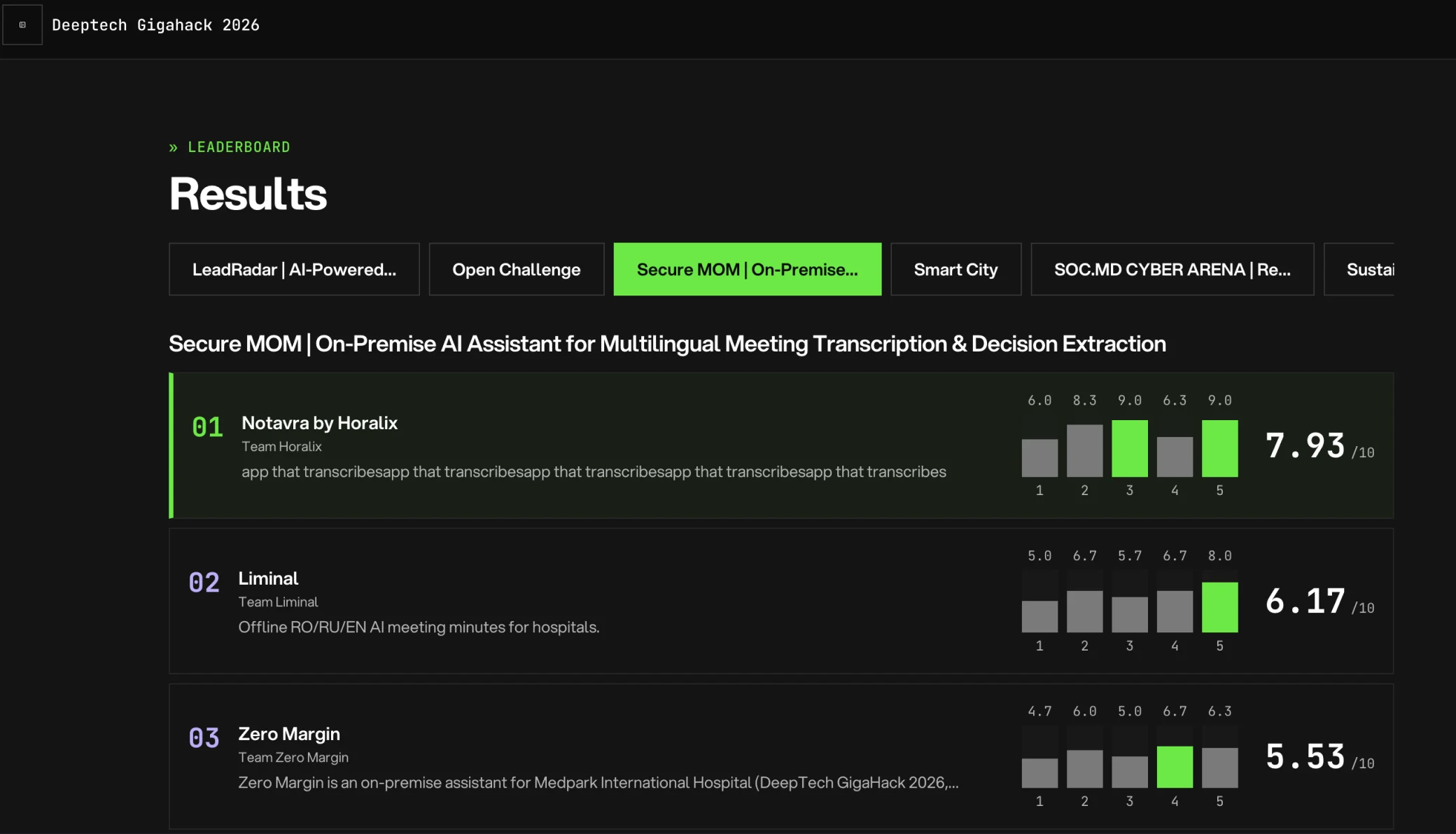
Hackathon results: the leaderboard with each team's scores
Detail of the hackathon scoring
Hackathon results: the leaderboard with each team's scores Detail of the hackathon scoring

Next steps. Test the prototype with Medpark doctors first, then design onboarding for the meeting organizer.

What I don't know yet. Whether the AI writes a MoM doctors trust without edits. That answer decides if a transcript editor is worth building, so the AI can learn from each fix.

Thanks. Ask about this project, or read the next case.

Subscriptions for good causes

Donors see exactly where their money goes, in one mobile flow.

13 → 4 screens to donate
SaaS Platform
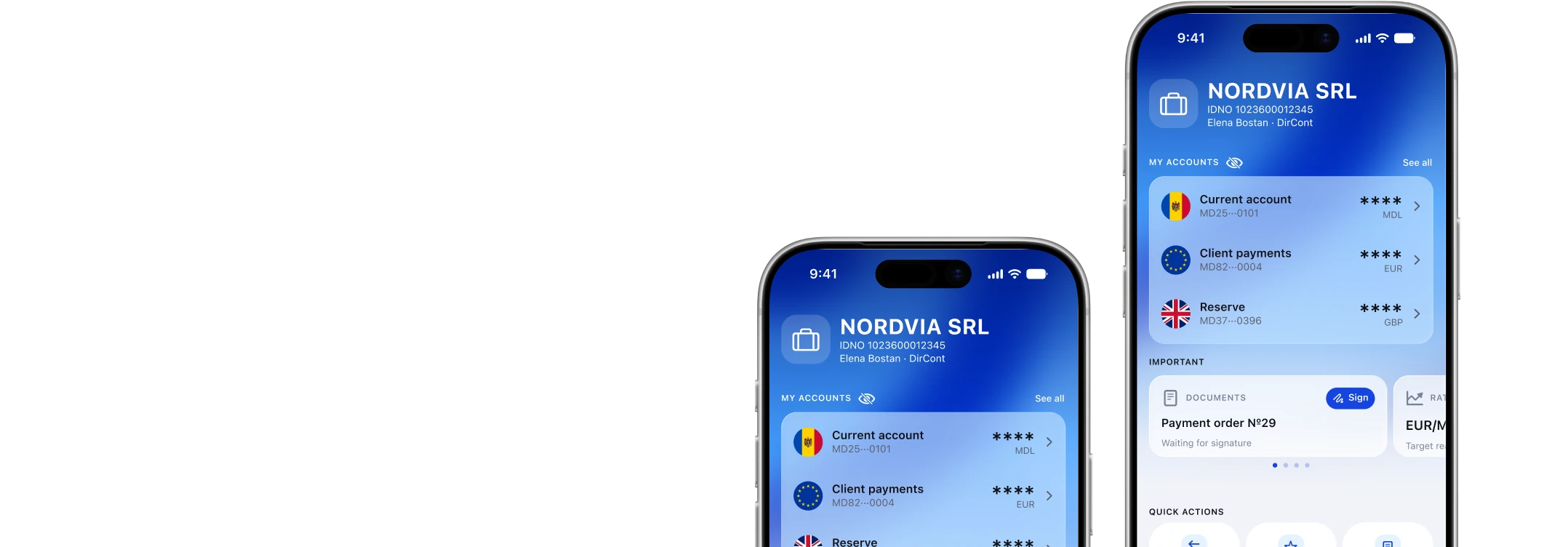
Business Banking on the go

Business owners pay, convert and check rates without opening the desktop platform.

10 → 5 menu sections to tabs
Fintech